A quick tour of DynoBHP
New here? This short tour shows you around DynoBHP in a few minutes. By the end you will know how to find a car, read its full details, and jump to the right tool for the job.
You do not need an account to look around. Everything below is free to use, on a phone or a computer.
Updated October 20263 min read
DynoBHP is a place to research new cars in India before you buy. You can look up any model, see its real price for your city, compare it with rivals, work out a monthly payment, and read what owners say. This guide points you to each of those in turn.
Find your way around
- 1
Search for a car
The quickest way to start is the search box on the home page. Type a brand, a model or a body type, like Creta, Tata or SUV, then press Explore cars. You can also set a brand, a budget and a body type from the drop downs next to it.
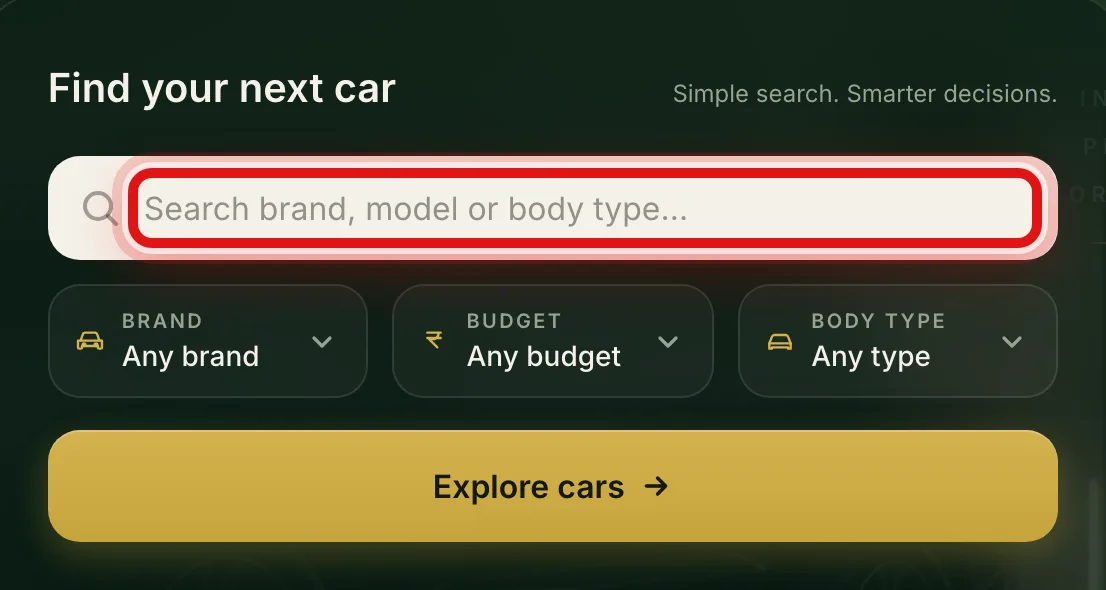
Start from the search box on the home page, or set the brand, budget and body type. - 2
Use the top menu
The menu row at the top takes you to the main parts of the site. New Cars lists every model, Compare Cars opens the comparison tool, and News, Articles and Community are where the latest updates and owner talk live.

The top menu is on every page and takes you to each main section. - 3
Open a car's page
Wherever you see a car, the whole card is a link. Select it, or the View details text on it, to open that model's full page with its photos, prices and specs.
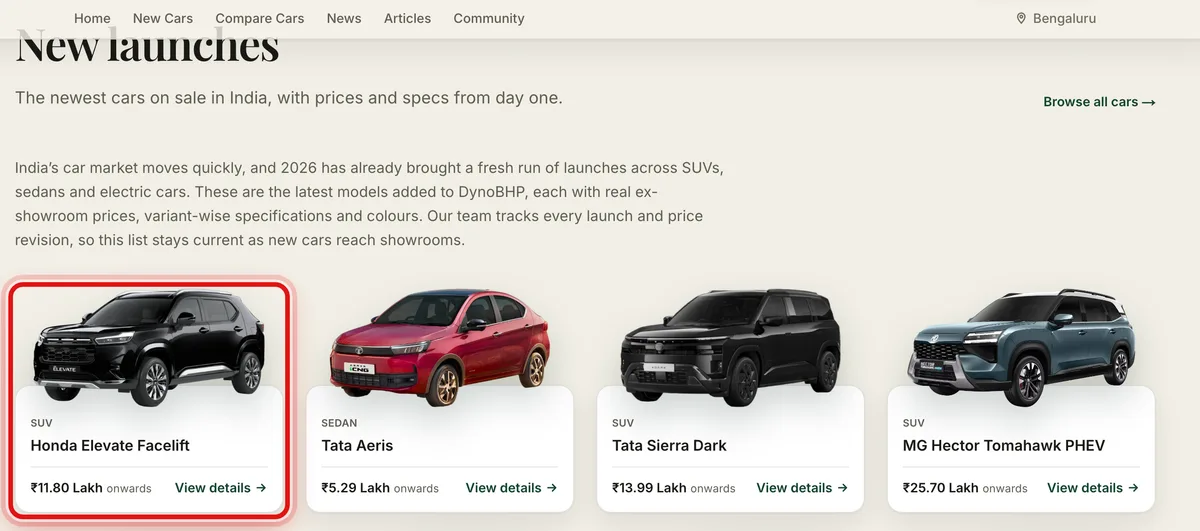
Select any car card to open that model's full page. - 4
Move around with the tabs
Every car's page has a row of tabs. Overview is the summary, Price has the on-road cost for your city, and the rest cover Specifications, Variants, Mileage, Images, Colours, Videos and User Reviews. Pick the tab you need and the page jumps to it.

The tabs on a car's page let you jump straight to the part you want.
The tools worth knowing
Four tools do most of the heavy lifting. Each one has its own short guide, so you can follow along step by step when you need it.
Compare cars. Put two to four cars head to head on price, size and features. See the full walkthrough in how to use the comparison tool.
On-road price. Get the real drive-home price for your city, with road tax and insurance added. Learn it in checking a car's price for your city.
EMI and running cost. Work out a monthly payment and the cost of running a car. Follow the EMI and running cost guide.
Owner reviews. Read what owners say, then add your own once you have lived with a car. See how to write a review.
Keep up with new cars
For launches, price changes and buying advice, open the latest car news and the longer guides and explainers. To ask a question or swap notes with other buyers, head to the community discussions.
That is the whole site in a nutshell. When you are ready, browse the full list of new cars and open the first one that catches your eye.
Common questions
- Does DynoBHP cost anything to use?
- No. Looking up cars, comparing them, checking prices and reading reviews are all free.
- Do I need to sign in to look at cars?
- No. You only need an account to post your own review. Everything else is open to everyone.
- Which cities do you show prices for?
- You can see the on-road price for major cities like Bangalore, Delhi, Mumbai, Pune, Hyderabad, Chennai and Ahmedabad.
- Is the information kept up to date?
- Yes. Our team tracks new launches and price revisions, so model pages stay current as cars reach showrooms.
Was this guide helpful?
See also
Still stuck? Reach a real person on our contact page.