How to use DynoBHP car comparison page
Picking between two or three cars is hard when their details sit on separate pages. The comparison tool brings them into one view, so every difference is easy to spot.
This guide takes you through it from the first tap to the final spec sheet. Follow the steps in order and you will have a full comparison ready in about a minute, even on your very first visit.
Updated October 20264 min read
The comparison tool lets you line up to four cars from any brand and read them like a table. You pick the exact variant of each car, and the tool shows a short verdict, a size chart drawn to scale, and the complete list of specs and features. You can open it on a phone or a laptop, and you do not need an account. Open it any time from the compare page.
Step by step
- 1
Open the comparison tool
Look at the menu row near the top of any page and select Compare Cars. You can also go straight there by opening the car comparison page.

The Compare Cars link sits in the menu row at the top of every page. - 2
Select an empty car slot
On the compare page you will see empty boxes that each say Add a car. Select the first box. A search window slides open so you can find a car.

Start by selecting the first Add a car box. - 3
Find your first car
Type a brand or model name in the search box, for example Creta or Tata, then pick it from the list. You can also scroll the brands, which are ordered with the most popular ones in India first.
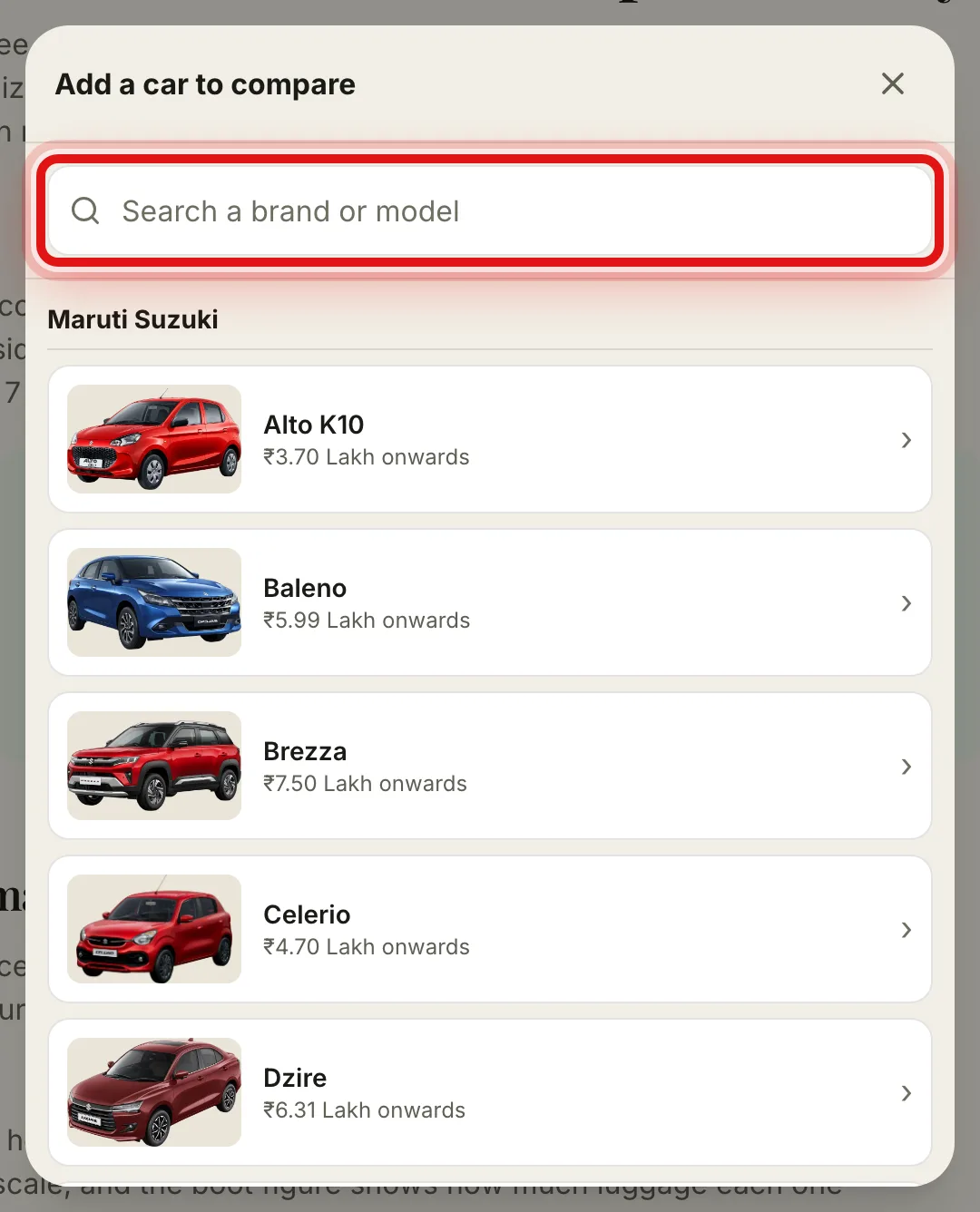
Search by name, or browse the brand list below the search box. - 4
Choose the exact variant
Every car is sold in a few variants at different prices. Pick the one you are looking at, so the price and the features match that trim and not a cheaper or costlier one.
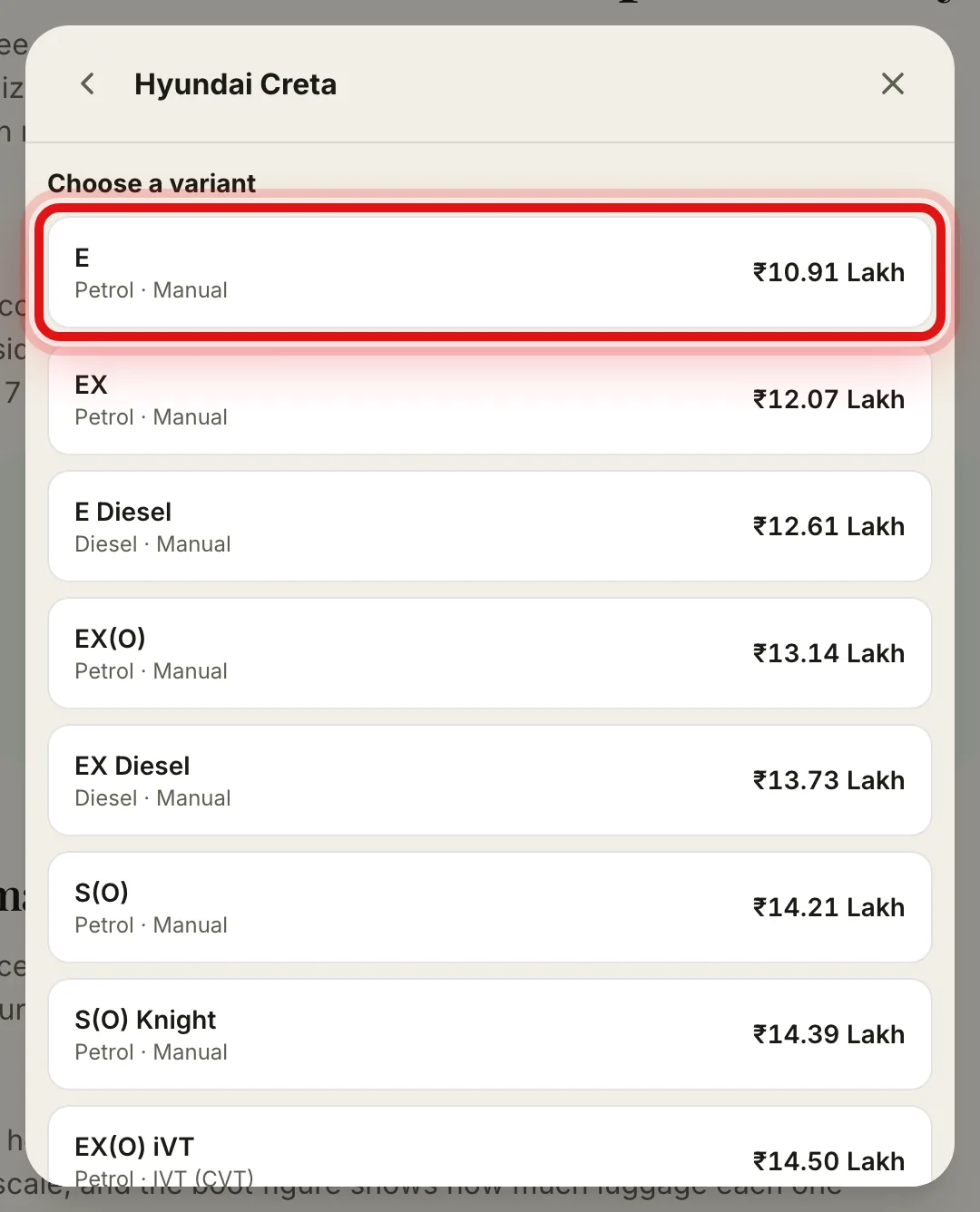
Tap the variant you want. The first one in the list is the cheapest. - 5
Add the other cars
Repeat the last three steps for a second car, and a third or fourth if you want. You can compare up to four at once. A small line under the boxes tells you how many you have added.
- 6
Press Compare
Once at least two cars are in place, a green Compare button appears. Select it and the tool builds the full comparison just below.
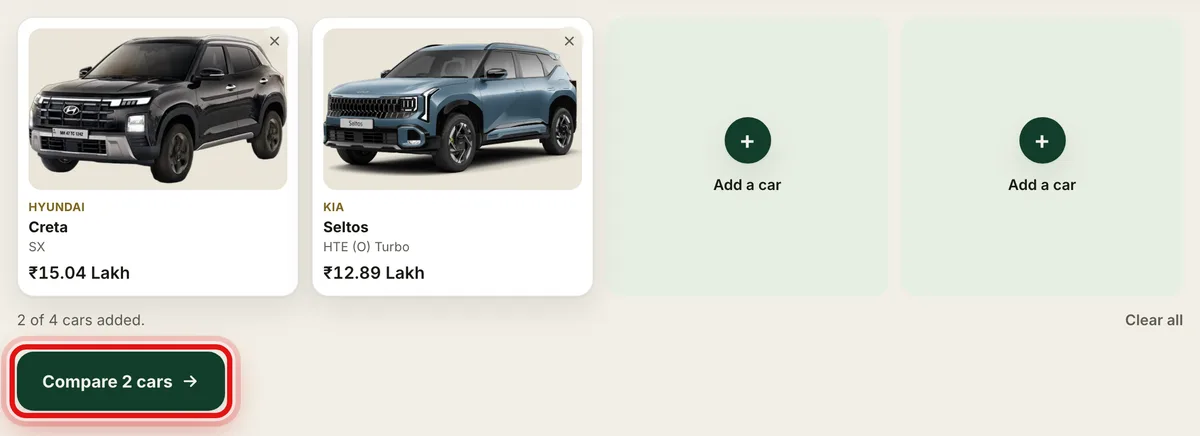
With two or more cars added, select the Compare button. - 7
Read the verdict and the size chart
At the top you get Key differences at a glance, which names the car that wins on price, mileage, power and boot space. Under it, the size chart draws length, width, height, wheelbase and boot to scale, so you can picture the real gap.
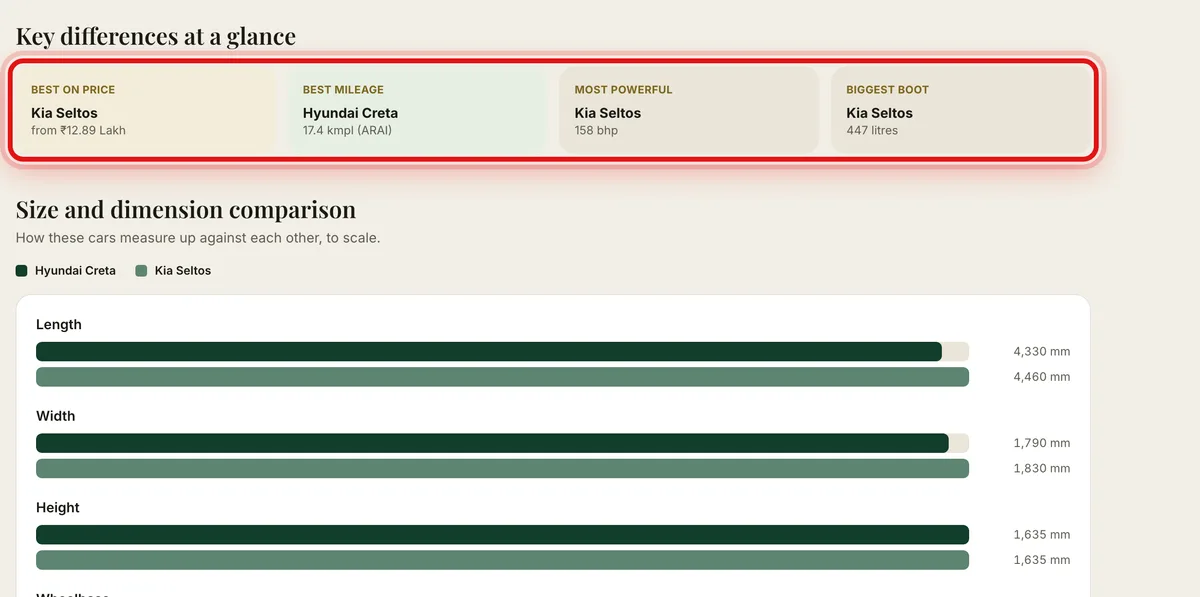
The verdict tiles sit above a size chart drawn to scale. - 8
Open the full spec sheet
Scroll on to Full specifications and features for every row, grouped by section, with a Best mark on the stronger number. Turn on the Only differences switch to hide the rows where both cars match and keep just what sets them apart.
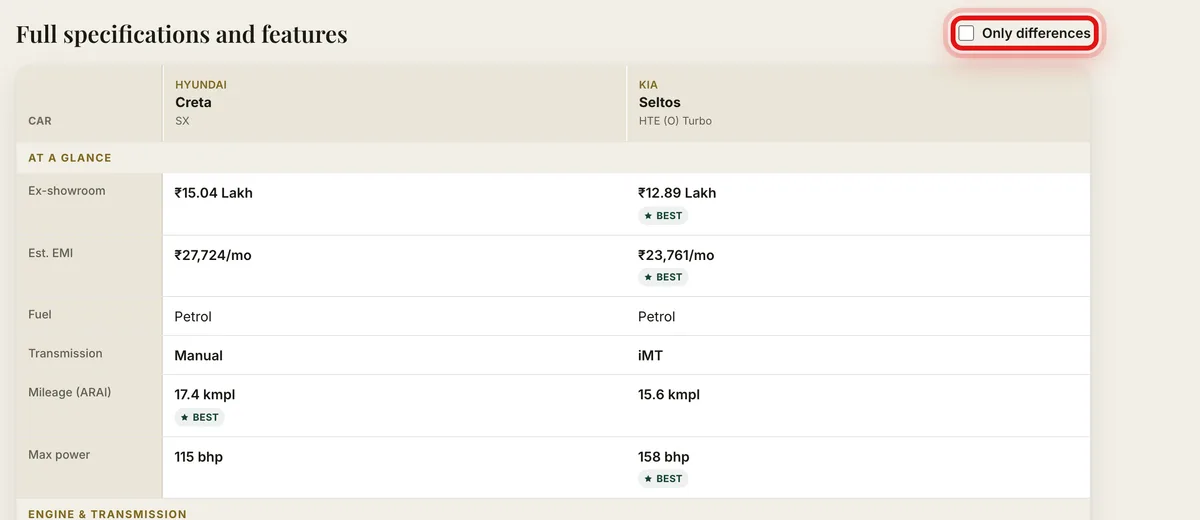
The Only differences switch strips the table down to what actually differs.
What each part of the result means
Key differences at a glance. Four tiles that name the winning car for price, mileage, power and boot space, so you get the short answer first.
Size and dimension comparison. Bars drawn to scale for length, width, height, wheelbase and boot, which make a 100 mm gap easy to see rather than guess.
Full specifications and features. Every spec and feature for each car, split into sections like engine, dimensions and safety, with a Best mark on the better figure in a row.
Only differences. A switch above the table that hides every matching row, leaving just the points where the cars part ways.
Get a cleaner comparison
Compare the same kind of car. Two compact SUVs or two hatchbacks tell you more than a hatchback against a seven seater.
Match the variant to your budget. A base car and a top car are very different buys, so pick the trims you would actually spend on.
Look past the sticker price. Check the on-road price for your city and the monthly EMI and running cost, because two cars that look close can read very differently once those are in.
When you are ready to go deeper on a single car, open its own page from the table heading, or browse every new car we track to start a fresh shortlist.
Common questions
- How many cars can I compare at once?
- You can compare up to four cars together, and you need at least two for the result to show.
- Can I compare cars from different brands?
- Yes. You can mix any brands and any body types, for example a Maruti hatchback against a Tata SUV.
- Do I need an account to use it?
- No. The comparison tool is free and open to everyone, with no sign in needed.
- Does it work on a phone?
- Yes. The tool is built for phones first, so the picker and the table are easy to use on a small screen.
Was this guide helpful?
See also
Still stuck? Reach a real person on our contact page.