How to use DynoBHP EMI tool for car monthly payment
Most people buy a car on a loan, so the monthly payment matters more than the sticker price. The calculator on every car's page turns the on-road price into a monthly EMI you can plan around.
This guide shows you how to set it to your own budget, and how to read the running cost so you know what the car really costs each year, not just to buy.
Updated October 20263 min read
There are two tools here. The EMI calculator sits in the panel beside every car's page. The fuel cost calculator lives on the Mileage tab. Together they tell you the monthly payment and the day to day cost of a car.
Work out the monthly payment
- 1
Find the EMI calculator
Open any car's page and look at the panel on the right. The EMI calculator is there, already showing a monthly figure for the car. On a phone it sits just below the main details.
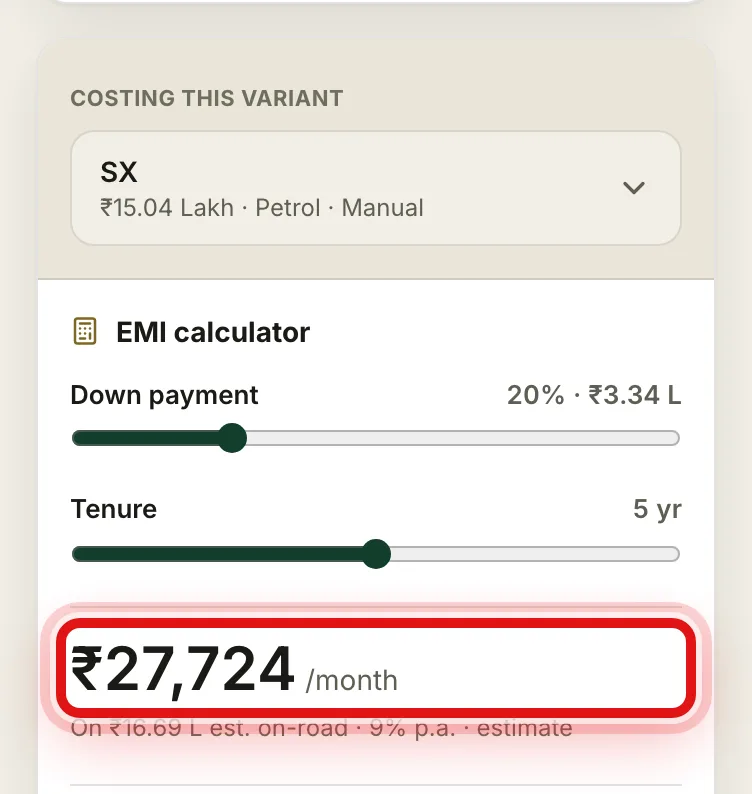
The EMI calculator is in the side panel, with your monthly payment as the big number. - 2
Pick the variant you are costing
Select Costing this variant at the top and choose the trim you have in mind. The EMI then uses that variant's price, so a base car and a top car give you different numbers.
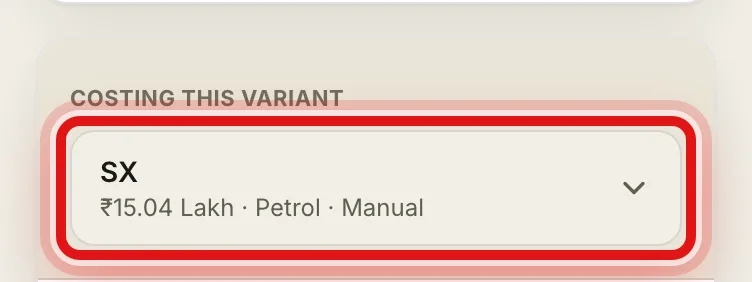
Choose the exact variant so the payment matches the car you want. - 3
Set your down payment and tenure
Drag the Down payment slider for how much you pay upfront, and the Tenure slider for how many years you want to repay. A bigger down payment or a shorter tenure lowers the monthly amount.
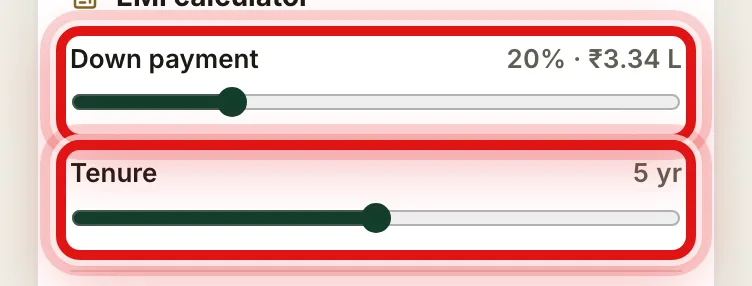
Move the two sliders to match your own plan. - 4
Read your monthly EMI
The large figure is your estimated monthly payment. It updates the moment you move a slider, so you can try a few combinations until the number fits your budget.
See what the car costs to run
- 1
Check the 5-year cost to own
Just below the EMI, the 5-year cost to own adds up fuel or energy, service and wear, and insurance over five years. It is a quick way to see which car is cheaper to live with, not just to buy.
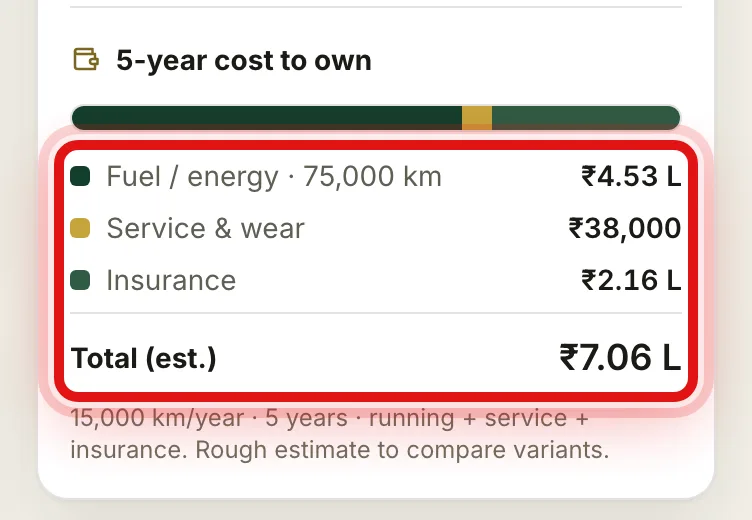
The 5-year cost to own totals fuel, service and insurance over five years. - 2
Work out your fuel cost
Open the Mileage tab and find What will fuel cost you?. Drag the slider to how far you drive in a year, and it shows the cost per month, per year and per kilometre, plus which fuel is cheapest to run.
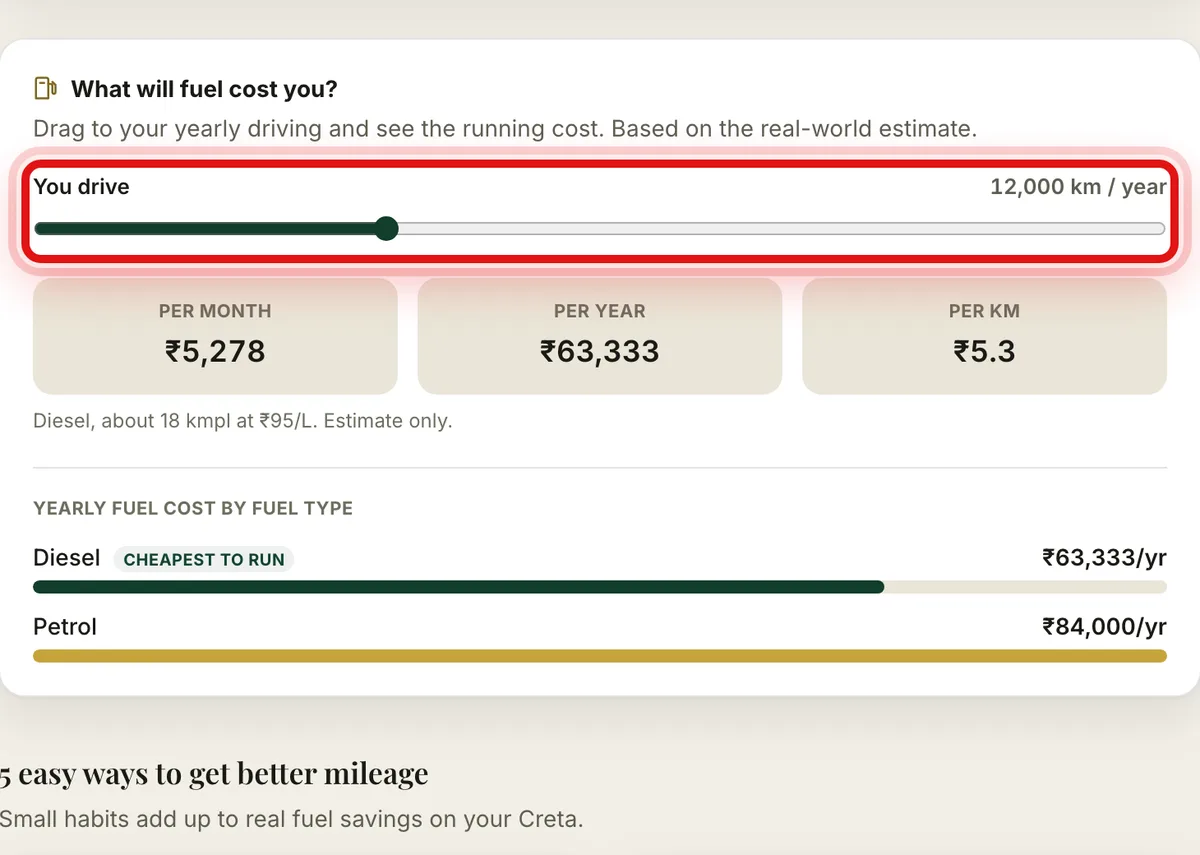
Set how far you drive each year to see the running cost, petrol against diesel.
What changes your EMI
The car price. A costlier variant means a larger loan and a higher monthly payment, so the variant you pick matters most.
Your down payment. The more you pay upfront, the smaller the loan and the lower the EMI.
The tenure. A longer tenure lowers the monthly amount, but you pay more interest in total over the years.
The interest rate. Fixed here at 9% a year as a sample. A lower rate from your bank would bring the EMI down.
The EMI is built on the on-road price, so it helps to check the on-road price for your city first. When two cars are close on monthly cost, put them side by side to see which gives you more for the money.
Common questions
- Can I change the interest rate?
- The calculator uses a sample rate of 9% a year. Your actual rate depends on your bank and your credit profile, so use the result as a close guide.
- Is this an official loan offer?
- No. It is an estimate to help you compare cars and plan a budget. A bank gives you the final offer.
- What does the 5-year cost to own include?
- It adds up fuel or energy, service and wear, and insurance over five years, based on average yearly driving.
- Does the EMI use the on-road price?
- Yes. It starts from the estimated on-road price of the variant and takes off your down payment before working out the monthly amount.
Was this guide helpful?
See also
Still stuck? Reach a real person on our contact page.